Guide
How it Works
The whole site runs on one idea: you watch movies for the people who make them. Here's how each piece works — and how they all fit together.
The Idea
Three Ways In
Go deep on a person
Pull the thread
Let the films come to you
Quick Start
Rate a few people you love
Flag movies to your watchlist
Watch one, then mark it seen
Page by Page
Your dashboard
The roster
The connections explorer
Every film, ranked for you
Your three lists
.zip (or a single watched.csv): watched films get marked seen, your Letterboxd watchlist fills “Want to watch”, and — if you like — your star ratings and likes estimate how much you enjoy each actor & director to power Movie Score (your own ratings always take precedence).A page per film
Follow people, watch together
Deep Dive · The Tracker
The tracker is where you go deep on one person. You don't need any of this for the basic loop — rate people, flag films, mark them seen — but the tracker's headline chart, the Quadrant, is the power tool: it plots every film by quality against commercial reach, and calibrating it to your own taste is half the fun. Here's the full walkthrough, using my Denzel Washington setup as the example.
Open someone's tracker
Tap any actor or director card on the Artists page. That opens their full filmography tracker.
Check off everything you've seen
Scroll past the graph to the film checklist and tap the checkbox next to any movie you've seen. This is important — the whole graph is built around what you have and haven't watched. You can also mark films straight from the chart: tap a dot and use the Seen button in its tooltip. Everything saves automatically.
Take a first look at the Quadrant graph
Every film is a dot. The further right it is, the bigger the box office. The higher up, the better the IMDb rating. Tap any dot to see the film's details. Before you do anything else, just poke around and get a feel for where things land — you'll need that sense when you calibrate the lines in the next step.
Tap empty space in the graph to zoom in. On mobile you can also pinch zoom.
Calibrate the axis lines to your taste
Two lines divide the graph into four quadrants. By default they sit in the middle of each axis — but "the middle" doesn't mean much until it's personal. Move them until the quadrants match how you actually feel about these movies.
Two ways to move the lines. Grab the round handle where the two lines cross and drag it anywhere — both lines move together, so you can place the corner exactly where you want it. Or fine-tune one line at a time with the Box Office Line and IMDb Line sliders below the chart (shown next). Either way, hit Reset lines to start over. The crosshair drag works here, on the home page’s quadrant, and inside the zoomed-in view — on desktop and phone.
The Box Office line — an example with Denzel
Out of the box, Training Day shows up as a Hidden Gem — meaning the graph thinks it underperformed for its quality. But Training Day is one of Denzel's landmark films. I want it in gold. So I use the Box Office Line slider to drag the vertical line leftward until Training Day flips to Landmark.
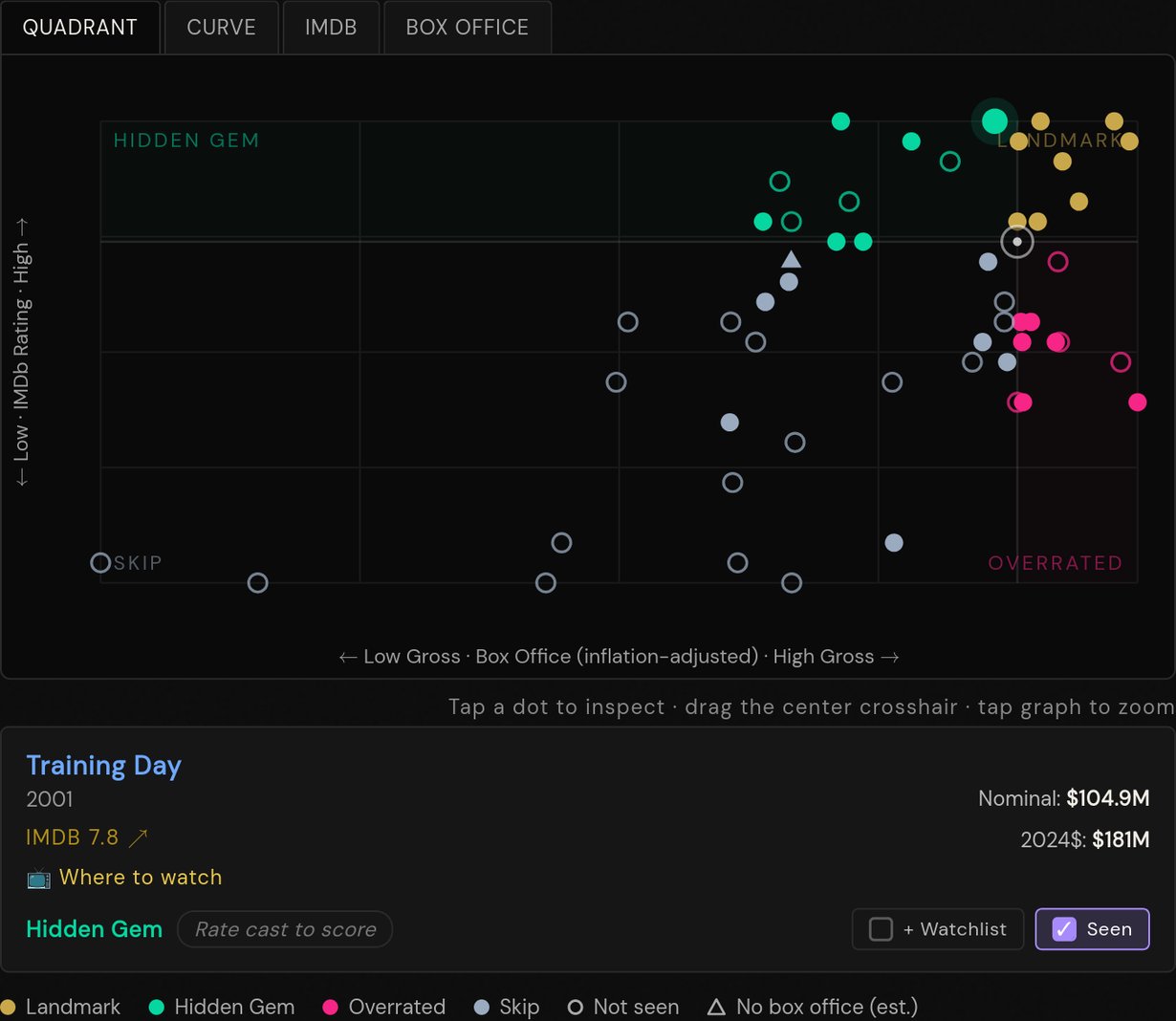
Default — Training Day is Hidden Gem
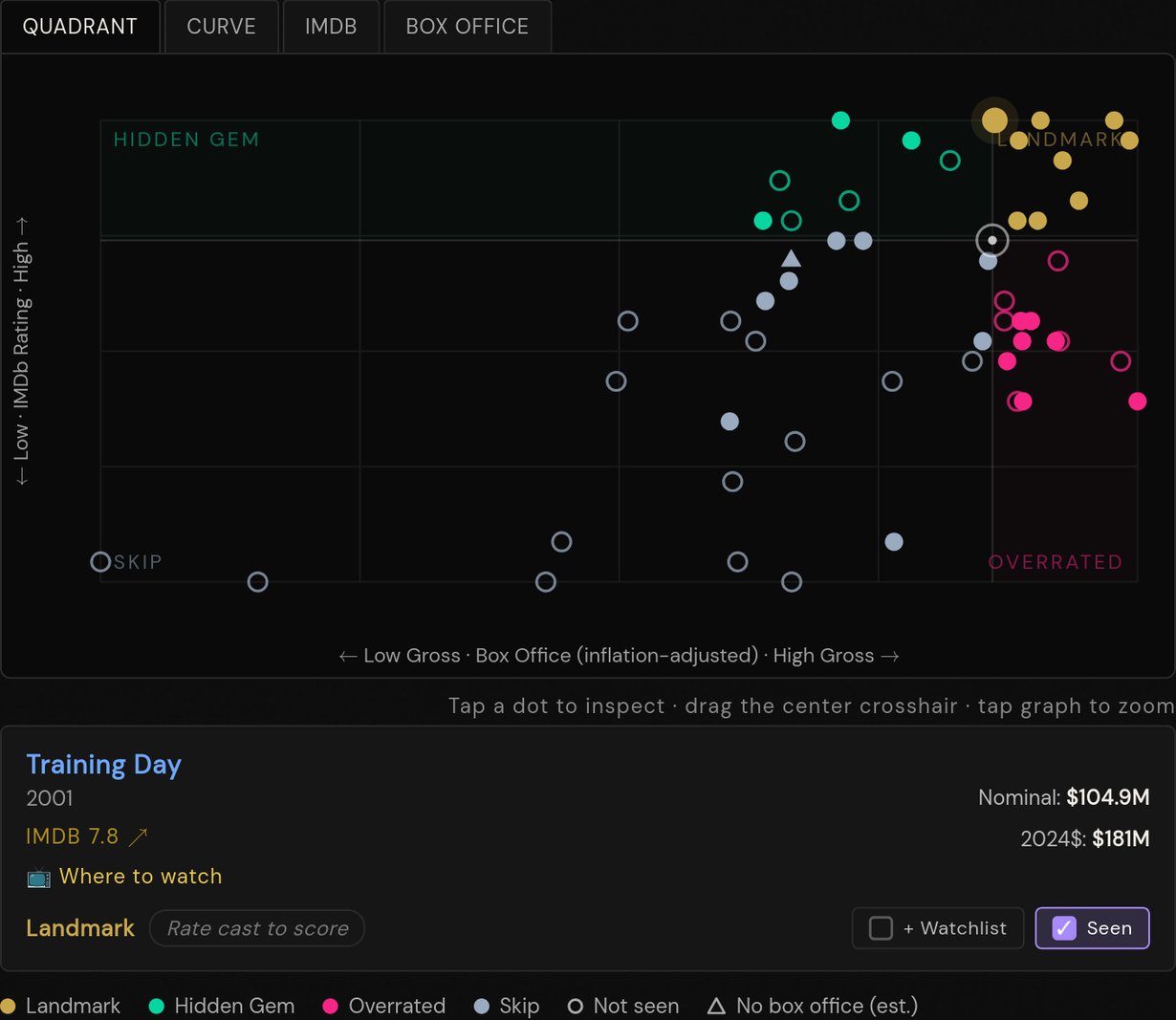
After sliding BO line left — now Landmark
The IMDb line
Now move the IMDb Line slider. Set it at the lowest-rated movie you personally still enjoy — that becomes your floor. Everything below it is a Skip, everything above is fair game. For me that's The Little Things (6.4 on IMDb). It starts out as a Skip; after I move the line down to meet it, it flips to Hidden Gem.
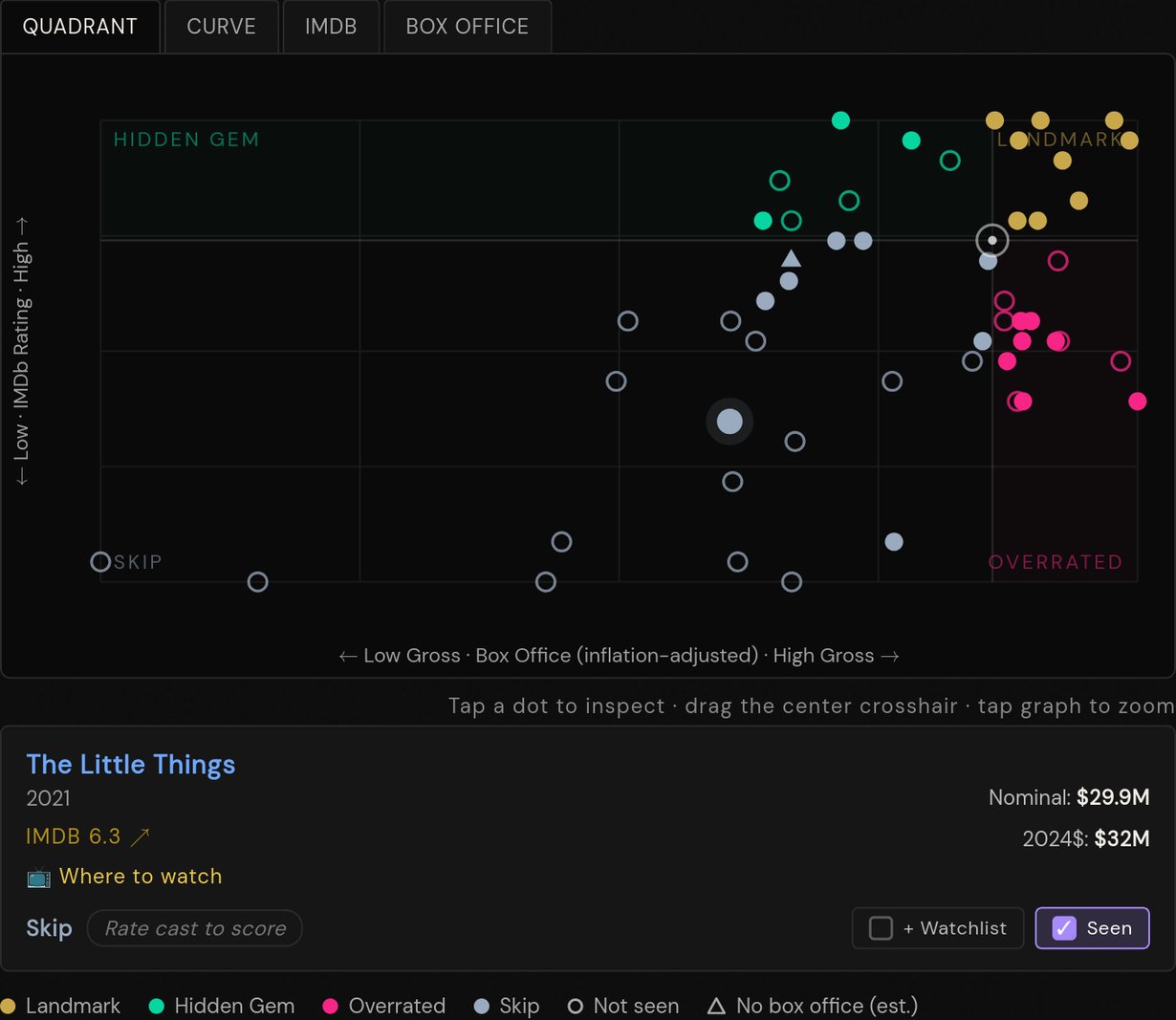
Before — The Little Things is a Skip
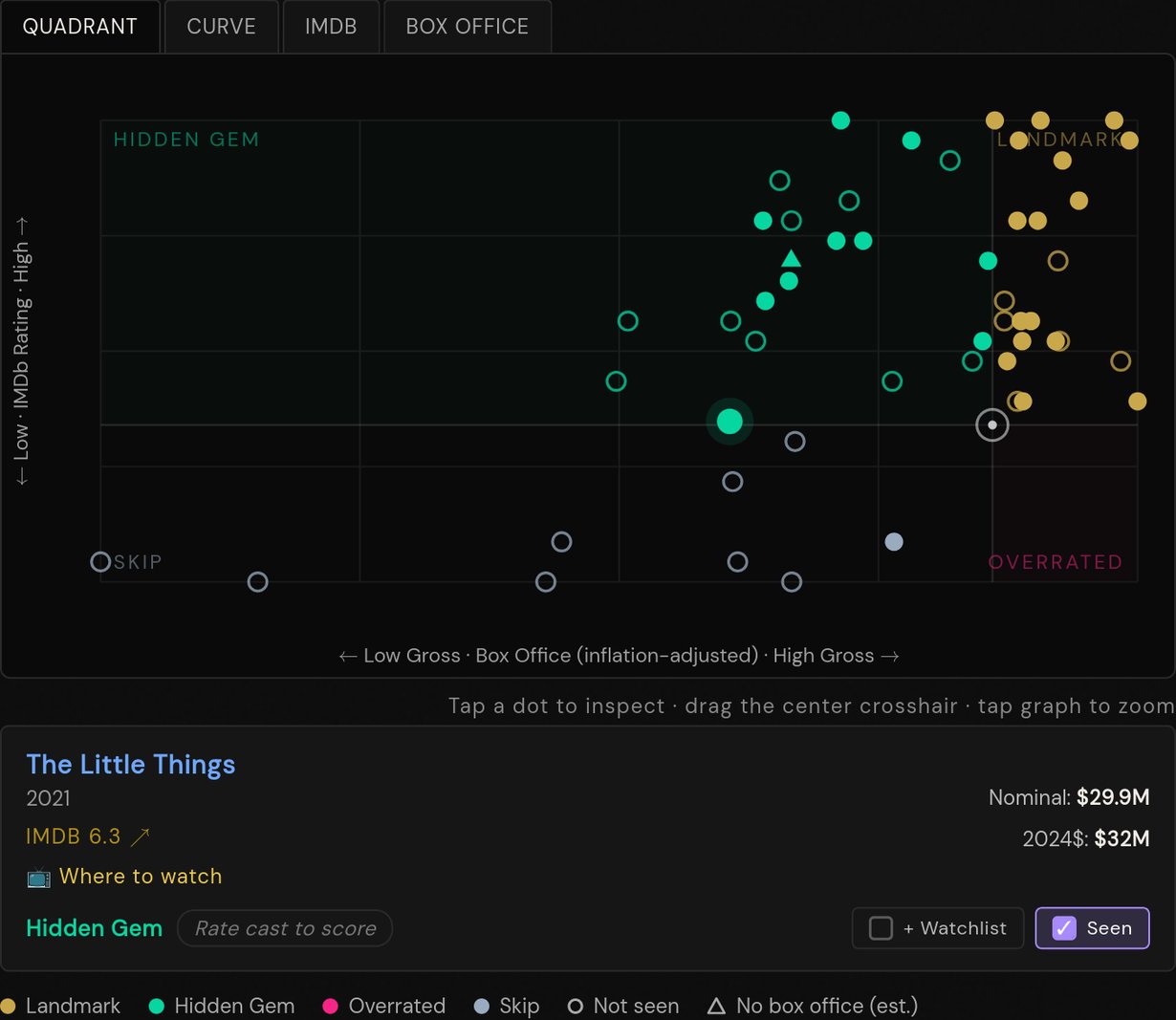
After — now Hidden Gem
Now explore — specifically the films you haven't seen
Tap the dots to inspect movies. Tap empty space to zoom in. The empty (hollow) dots are films you haven't seen yet — those are your watchlist waiting to happen. Solid filled dots are films you've already marked as seen.
Read the quadrants
Landmark unseen = must watch. High rated, big box office, and you haven't seen it — these are the ones you owe yourself. In my Denzel example that's The Pelican Brief, Déjà Vu, and The Magnificent Seven.
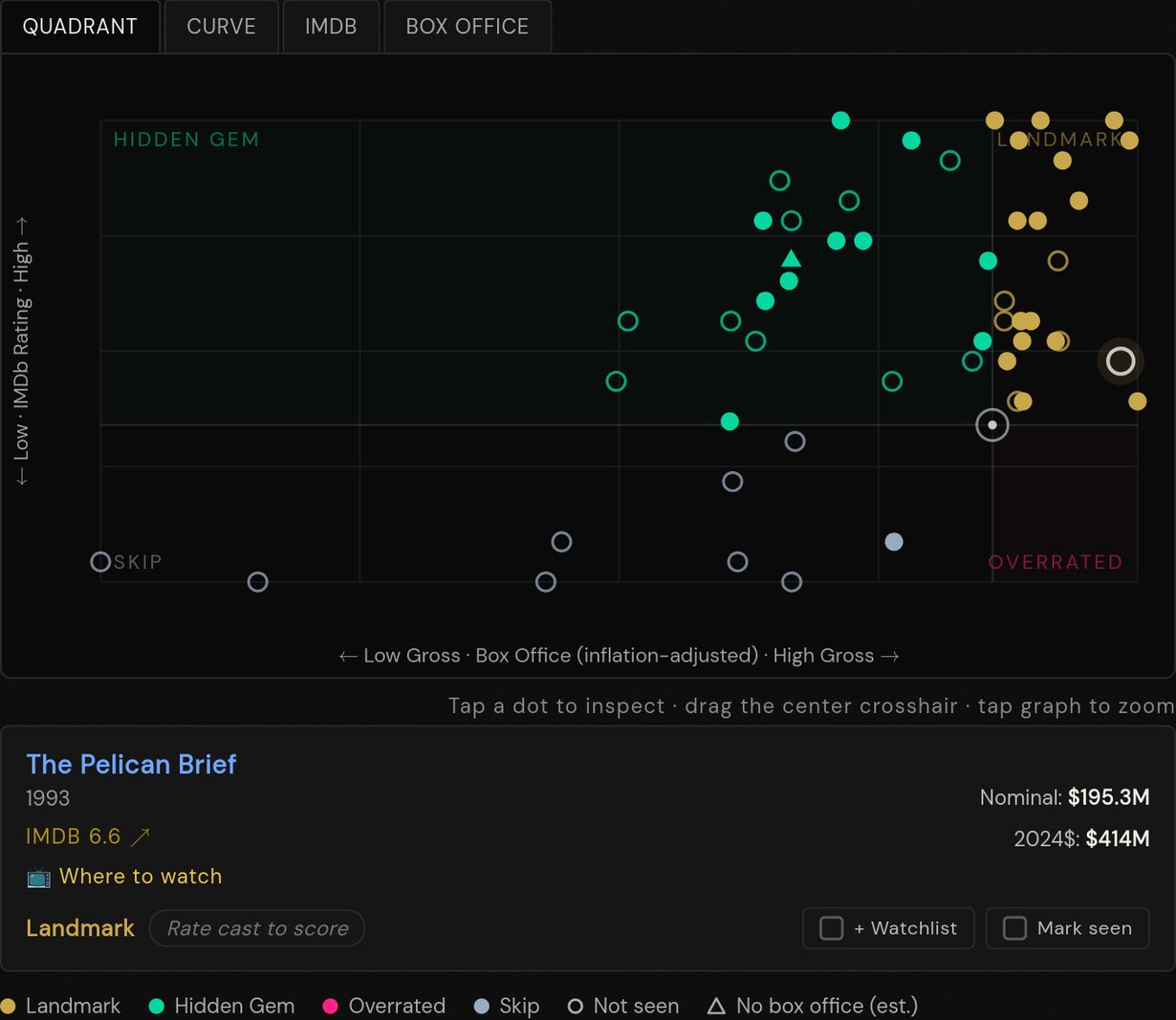
The Pelican Brief · 1993
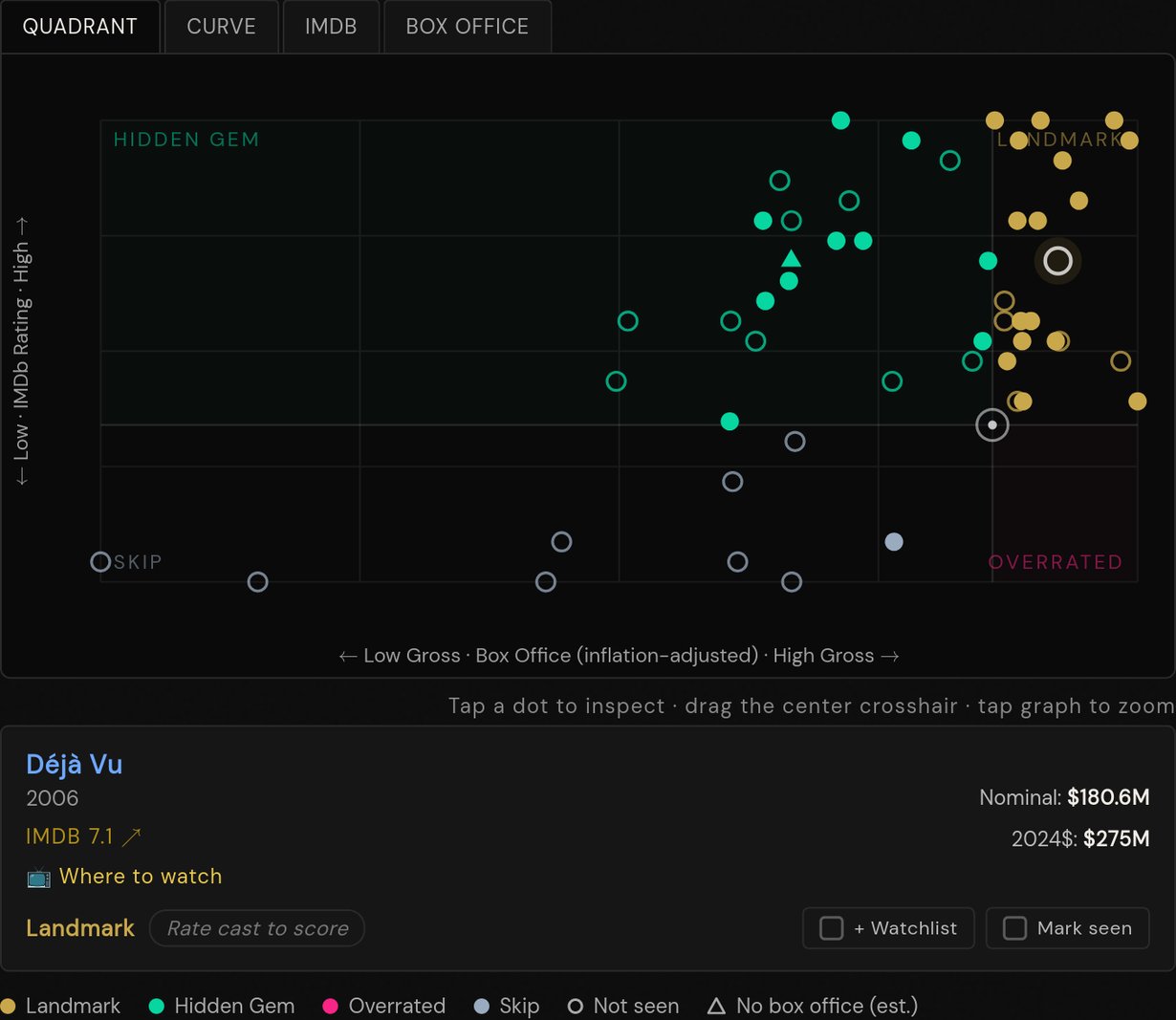
Déjà Vu · 2006
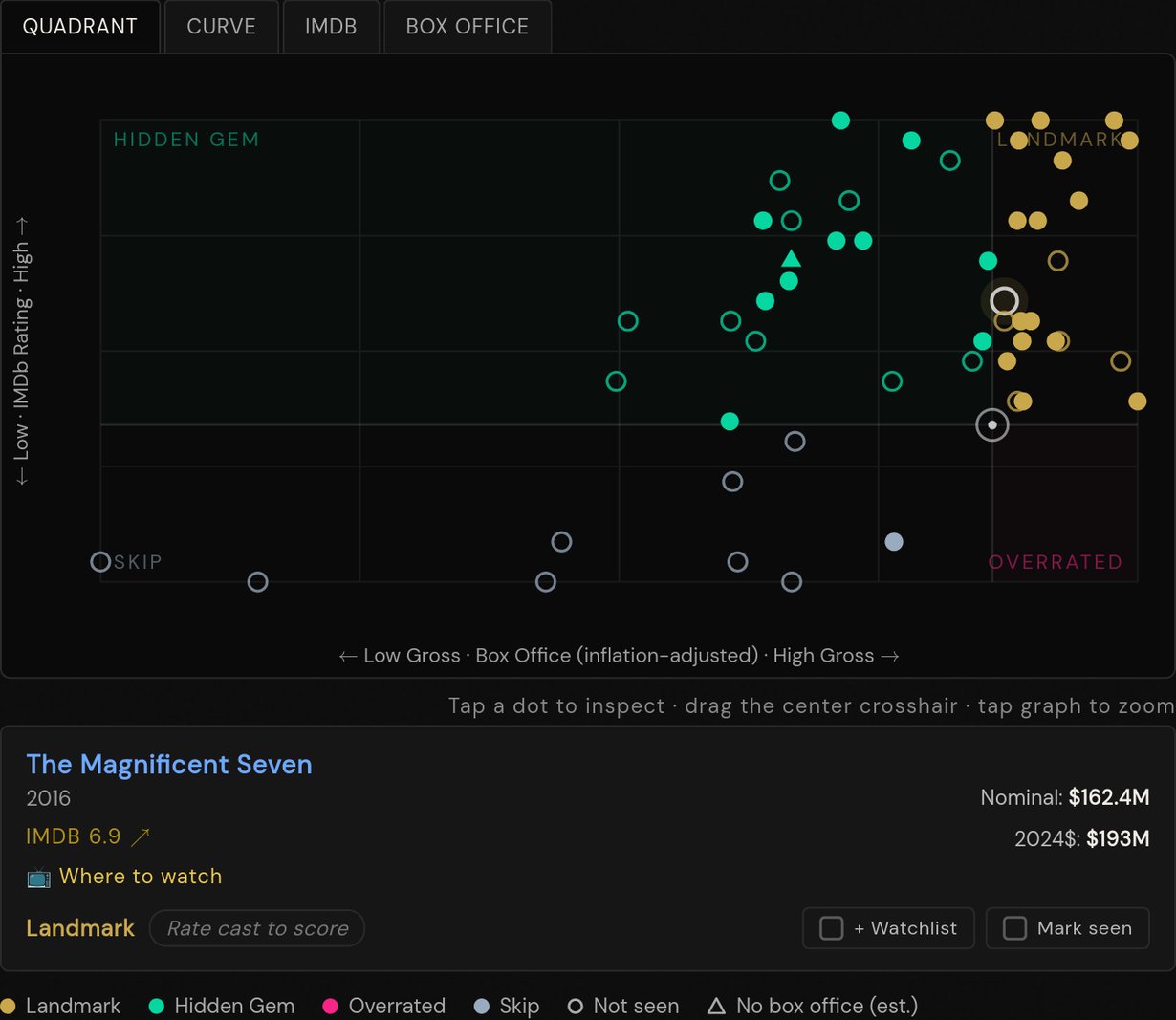
The Magnificent Seven · 2016
Hidden Gems are where you find the stuff you missed — good movies that flew under the radar commercially. Worth digging into.
Overrated might still be worth watching if you love the person, or just because some of these are so culturally everywhere that you kind of have to. (Notice that none of Denzel's films are Overrated in my setup — because he is the man.)
Skip is probably safely skippable. Even the best actors and directors make the occasional stinker, often for reasons outside their control.
Now go out there and explore
Pick a filmmaker or actor you love — or one you've always been curious about — and start working through their filmography. There are films in here waiting to become new favorites, and every one you check off sharpens your recommendations across the rest of the site.